
See the count now
Visible now and peak visible show what this camera can see during your session.
 CrowdFluxPEOPLE IN PERSPECTIVE
See how many people are in your camera’s view. Track movement, follow visible counts, and save the session. No calibration needed.
AI counts can miss or double-count people. The camera view does not establish unique visitors or whole-venue occupancy. Do not rely on counts for capacity or safety decisions. Accuracy & safe use
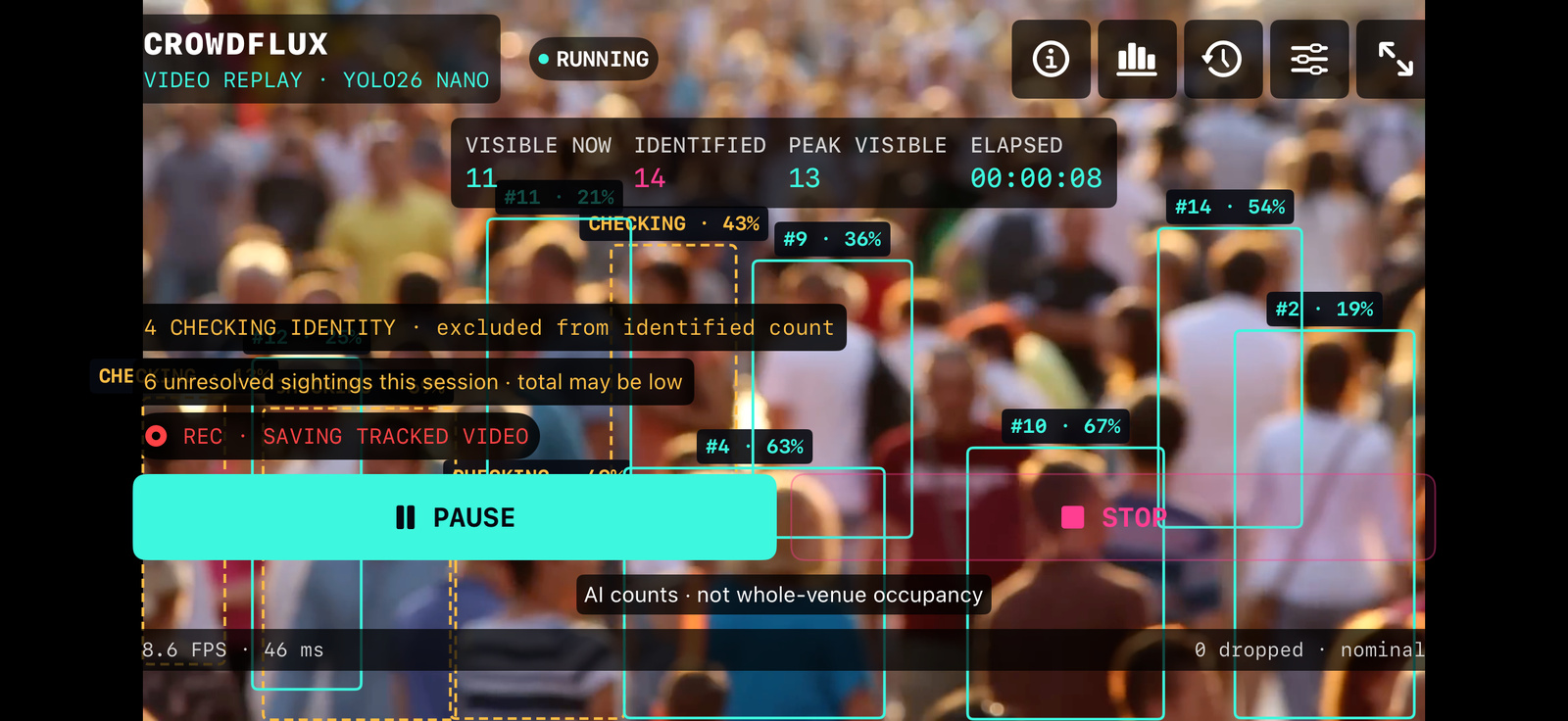
From live observation to a saved report.
A focused workflow, all on your phone.
Visible now and peak visible show what this camera can see during your session.
Temporary tracks and short-term clothing matching help reduce repeat counts. No facial recognition.
Save venue, city, country, time zone and optional location with each session.
Import a video, export a CSV report, or save an optional annotated recording.
Point your iPhone at the people you want to count.
Choose your venue and optional recording settings.
Start counting. No lines or calibration to set up.
Counts describe the camera’s view, not whole-venue occupancy. Occlusion, similar clothing, long absences and low light can cause missed or duplicate counts. Total counted is not a verified count of unique visitors. Do not rely on counts or alerts for venue-capacity or safety decisions; use independent checks and appropriate occupancy procedures.
Read accuracy and safe-use informationAI counts can miss or double-count people. The camera view does not establish unique visitors or whole-venue occupancy. Do not rely on counts for capacity or safety decisions. Accuracy & safe use